



If rent is due and your week is already full, you want to know a counter sells money orders before you spend time getting there. A good starting point is the official website of the money order provider: open its location finder and search for your area.
Then comes the step that matters most: look at the individual location and find out whether it sells money orders. A listing that is merely nearby, or that shows a familiar payment-service name, doesn't establish that.
Think of every locator result as a lead, not a promise.
You're simply gathering facts before you leave the house.
This guide is part of our larger one on locating a money order seller.
Choose a finder that matches the service you need
Not every location finder answers the same question. Some are built to find places that offer a product, some to find places that cash it, and some are general directories of stores. Before you type anything, decide what you're after: a place to buy a money order.
The Postal Service sells and cashes its money orders at any Post Office. It cashes them there for free; most banks and some stores also cash them. A place that cashes money orders does not necessarily sell them, so a result that mentions cashing hasn't answered your question.
Here is a quick way to sort what you find:
- A finder run by the provider for its own locations and services. This is the one to start with. The Postal Service locator describes a search for locations and services, including money orders.
- A directory for mailing, shipping or other services. A directory focused on mailing or shipping may not say whether a location sells money orders.
- A general store directory or map app. It can show what's around, but it isn't the provider speaking about its own service.
- A cashing-focused search. It points to where a money order may be accepted, not where one is sold.
If a tool can't tell you which of these it is, treat it as a general directory and keep going.
An agent location is not a complete service list
It's easy to see a well-known payment-service sign on a storefront and assume every counter service is inside. A location that offers one service can leave out another, so a logo doesn't confirm money order sales.
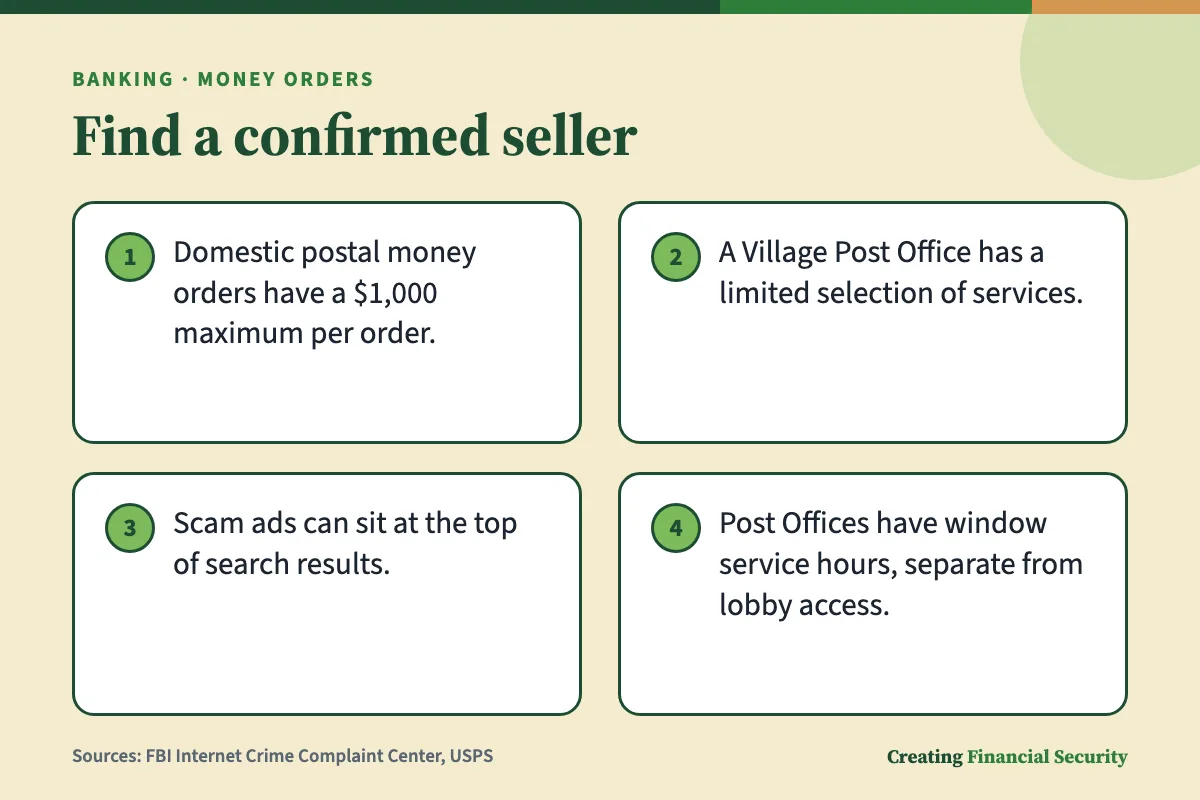
The Postal Service shows how this works on its own side. A Village Post Office may share space with a store or library, and its selection of services is limited. A National Retailer is described as an Approved Postal Provider that offers shipping and mailing services and sells stamps. Neither description mentions money orders.
So the clue to look for is the service itself, named on that location's listing. A logo, a category label or a spot on a map isn't that.
How it works, step by step
- Type the provider's web address into the browser's address bar rather than searching for its name.
- Before opening an ad, check its web address for misspellings or an out-of-place letter.
- In the location tool, follow its prompts and choose money orders as the service if that choice is offered.
Reach the official tool without following an ad
When you search for a company by name, the first thing on the screen can be an advertisement, and that's where mistakes happen. The FBI has warned that criminals pay for search ads that use a web address resembling a real business. These ads sit at the very top of results, look much like ordinary results, and lead to a page that appears identical to the real one.
The FBI advises checking an advertisement's address for misspellings before clicking. It also advises, as an alternative, typing a known business address directly into the browser.
For a money order search, that gives you a short routine:
- Type the provider's web address yourself into the browser's address bar, instead of searching for it by name.
- Read the address at the top of the page. Look for odd spellings, an extra letter or an unfamiliar ending.
- Look for a location finder in the official homepage's menu or search box.
- If something about the page feels off, such as a request that has nothing to do with finding a location, go back to step one.
The FBI also notes that ad-blocking extensions can be switched on and off in a browser. Whether that suits your phone or computer is your call.
If you believe a fake search-ad page has made you a victim of fraud or malware, the FBI encourages reporting it to your local FBI field office and the Internet Crime Complaint Center.
Search without giving your exact address
Follow the official locator's instructions without adding information it does not request. Follow the tool's prompts, and if it offers a choice of search area, pick the one that fits your trip.
If you pass a counter on the way to work, searching near work may serve you better than searching near home. The search area can reflect a trip you already expect to make.
Watch for requests that have nothing to do with finding a counter. If a page asks for bank details or a password just to look up a location, that's a signal to back out, check the web address again and start over.
Turn a search into a useful shortlist
Once you're on the official tool, you're building a short list rather than hunting for one perfect answer. Here is a sequence that fits most location finders:

- Enter the area you'll be in, following the tool's prompts.
- If a service choice is offered, select money orders. The Postal Service locator names Money Orders among the services it searches.
- Open individual results instead of reading only the map pin.
- Write down a few candidates, noting what each result says about money orders.
- Compare them against your route and free hours.
It helps to know the location types, since they can offer different things. The Postal Service separates full Post Offices from Village Post Offices, Contract Postal Units and self-service kiosks.
Contract Postal Units operate inside other businesses, offering the full postal retail selection at the same prices charged by the Postal Service. Kiosks, usually in postal lobbies, handle many counter services; the description does not say every service. A kiosk or a Village Post Office on your list is worth a specific question.
If there is no money order filter
If a finder has no service choice, or its choices omit money orders, treat the results as unconfirmed leads.
Don't assume every location on the map qualifies. Nothing in the Postal Service descriptions says each location type offers every product, and the limited selection at a Village Post Office is a reminder that location type alone doesn't settle it.
For each lead, look for a line naming money orders. If you can't find one, put a question mark beside it and ask the location about money order sales.
Read the location details before choosing a destination
A listing can hold a lot of information, and not all of it answers the same question. Some of it tells you the place exists and where it is. Other parts, if the tool shows them, speak to what happens at the counter.
A listing might show some of the following details; missing information still needs checking:
- Location type. A Village Post Office has a limited selection, so ask whether money orders are among its services. A kiosk covers many counter tasks, not necessarily all.
- Hours shown. They may help you plan a visit, but they don't confirm the counter is open or that money orders are available.
- A line naming money orders. This is a lead worth checking. Whether the location sells them now, its hours, payment methods, fees and limits still need confirming.
A listing may leave some questions open, and that's normal rather than a sign something is wrong.
When you scan a listing, sort what you see into two piles. The first is service evidence: a line that names money orders for that location. The second is general information, such as the address and distance.
The second pile helps you plan a route, but it doesn't prove the service is there. Keep the piles apart and your shortlist stays honest.
What the listing establishes—and what remains unknown
Hours are a good example. Staffed counter hours differ from lobby access. At many Post Offices, customers can reach kiosks and PO Boxes in the lobby after the staffed windows close.
That means a building can be open while the counter is closed. If you plan to buy a money order, the counter's hours are the ones that matter.
The tool itself can also be unavailable. The Postal Service has posted a maintenance notice warning that its locator could be unavailable, so a failed lookup may be temporary.
A listing can tell you where a place is, what type it is, and perhaps that it offers money orders. It can't promise the counter is open and the service is working when you arrive.
Resolve the details a map pin cannot answer
A listing is a starting point. Ask the location or its official help channel whether it sells money orders, when the counter is open and whether the service is available. The Postal Service suggests speaking with a trained retail associate about mail sending or receiving; its help line is another place to ask about money orders.
Before you reach out, decide what you need to know. A good list of questions is short:
- Does this location sell money orders at the counter, or only cash them?
- What hours is the service counter open, as opposed to the lobby?
- What fee applies, and what payment methods are accepted?
- Is there a limit on the amount of one money order? For a domestic postal money order, the maximum for one order is $1,000.
- Is anything temporarily unavailable?
General service descriptions do not settle every question about a particular visit. Ask specifically about the location, the money order service and the time you expect to arrive.
Treat prices and availability as separate checks
A locator that finds a seller may not show what the money order costs, which payment methods the location accepts, or whether something is temporarily unavailable. Those are three questions, not one.
Fee and payment method can be asked in the same conversation, since you're already talking to the right place. For availability, ask whether money order sales will be offered during your planned visit. If current availability matters to your trip, ask the location or the official help channel.
Find another route when results are empty or unreliable
Small-town searches can come back thin. There may be one result, or none, or a page that won't load. That doesn't mean the service doesn't exist near you. A different search or a question to the official help channel may clarify the result. Work through these in order:

- Check the search information you entered for errors, then follow the tool's prompts.
- Reload the page, or try again later. Check for an official notice explaining any outage.
- Widen the search to a nearby town you already pass through, or use the tool's distance setting if it has one.
- If results look odd or don't match what you see on the building, confirm the website address and start again from the address bar, as the FBI suggests.
- Reach out to the official help channel and ask which nearby location sells money orders.
The Postal Service also says a Village Post Office is part of an existing business rather than its own building. In a small town, a counter inside a shop may look different on a map than a freestanding building.
Change the search, not the service you need
When the first search is empty, it's tempting to click whatever shows up. A transfer-only service or a general store listing might fill the screen, but it doesn't give you what you need, which is a counter that sells money orders.
Keep the service the same and change the place instead. Try the next town over, the town where you work, or the town where you shop. If the tool has a distance setting, widen it a little at a time and look at how far each result really is from your normal route.
If nothing names money orders, that's useful information too. It's the moment to use the help channel instead of guessing.
Save a primary location and a realistic backup
Once you've found a likely place, make it easy to use again. Saving the details can make a repeat visit easier to plan, although the service and hours still need checking. A sensible set-up is:

- A primary location. The seller that fits best with your existing travel, such as on the way to work.
- A realistic backup. Choose a backup you can realistically reach, and save its details for later.
- A note of what each is confirmed for. Write down whether the listing named money orders, or whether a person told you so.
Hours and services can change, so treat what you saved as a starting point for your next trip, not a permanent answer.
Keep a small location note you can use offline
A phone can lose signal in the places where you most need it, so a short note helps. Keep it in a notes app, or on paper in your wallet or bag. It only needs a few lines for each place:
- The street address, or at least the town and the location name as the listing shows it.
- The official phone number or help channel you used.
- What the listing or the person said about money orders.
- The date you checked.
Leave out anything sensitive: no account numbers, no passwords, no card details, no copies of your ID. Check the saved details again before you travel.
The bottom line
A locator result is where your search starts, not where it ends. Reach the official tool by typing the provider's web address yourself, since the FBI warns that advertisements can imitate real sites. Follow the tool's prompts, choose money orders as the service if it's offered, and open each individual result.
Treat any result that doesn't name money orders as unconfirmed, and keep counter hours, fees and payment methods as their own questions. If a search is empty or confusing, widen the area, try again later, or use the official help channel instead of guessing.
Once you've found a primary place and a backup, write down the details and the date you checked. For your own situation, the staff at a counter or the official help line can answer what a map can't.
Questions readers ask
Do I need an account to search for a money order location?
Can a regular map app confirm that a store sells money orders?
Does an open location mean its money order service is available?
What if the locator and the location give different information?
Can I buy a money order through the locator itself?
Sources